
I’ve been helping service businesses with their websites for a while now, and I can’t tell you how many times I’ve seen the same mistake. Someone builds 30 city pages in an afternoon, swaps out the city names, and then wonders why Google ignores every single one of them.
Here’s what we’re going to cover: how to actually build city pages that Google will index and rank on page one. Not the lazy way that wastes your time, but the approach that works.
Why Most City Pages Fail (And Why That’s Good News for You)
The truth about service area pages is pretty simple. Most of them are garbage.
I mean that literally. Business owners or their web developers copy the same page 20 times, do a find-and-replace with city names, and call it a day. Google figured this out years ago. The search engine can tell when you’re just gaming the system with thin content that doesn’t help anyone.
But here’s the good news. Because most businesses are doing it wrong, there’s a real opportunity for you if you’re willing to do it right. When I see a service business actually put effort into their city pages, they usually start ranking within a few months. The competition is surprisingly weak in most markets.
What Actually Makes a City Page Rank
Google wants to see that you genuinely serve the area you’re claiming to serve. That’s it. That’s the whole game.
You can’t fake this with keyword stuffing or technical tricks. You need real content about real service in that real city. But you also don’t need to write a novel. You just need enough unique, helpful content that shows you know the area and actually work there.
The balance I’ve found that works is using templates for your basic structure (because why reinvent the wheel), but making sure you have substantial unique content for each location. We’re talking 200-300 words minimum of genuinely different information, not just “We serve Dallas” instead of “We serve Houston.”
Deciding Which Cities and Counties to Target
Start With Where You Actually Work
This seems obvious, but you’d be surprised how many contractors create pages for cities they haven’t worked in for years or won’t actually drive to.
Start with the cities where you’re currently getting calls and doing jobs. If you’re a plumber based in Austin and you regularly drive to Round Rock, Georgetown, and Cedar Park, those are your first three pages. Don’t build a page for San Antonio just because it’s a big city if you’re not actually going to drive there for jobs.
Look at your service radius honestly. Most contractors I know have a comfortable range where they’ll take any job, and then a slightly further range where they’ll go for bigger projects. Stick to that comfortable range for your city pages.
Counties matter too, especially if you’re in a rural area. Sometimes people search for “roofing contractor in Travis County” instead of a specific city. You need to decide if targeting the whole county makes sense for your business.
Nearby Cities vs. Broad County Pages
Here’s how I think about this. If a city has more than 20,000 people and you work there regularly, it probably deserves its own page. Smaller towns might be better grouped under a county page.
For example, if you’re serving the Dallas-Fort Worth area, both Dallas and Fort Worth get their own pages. But smaller suburbs might work better as a grouped “Collin County” page or “North Dallas Suburbs” page.
You also need to think about how people search. In some areas, everyone searches by city name. In others, especially rural areas, county searches are more common. There’s no perfect formula here. You just need to know your market.
The URL Structure That Google Likes
Keep your URLs simple and descriptive. The format that works best is:
yoursite.com/service/city-state
So if you’re a roofing company, it would look like:
yoursite.com/roofing/austin-tx
Or you can use:
yoursite.com/locations/austin-tx
The key thing is to always include both the city AND the state. Don’t just use “austin” because there are multiple Austins across the country. Google needs to know exactly which location you’re targeting.
Some people ask me if they should use hyphens or underscores. Use hyphens. That’s what Google recommends, and it’s easier for people to read.
And don’t get fancy with deep folder structures like yoursite.com/locations/texas/central/austin-tx. Keep it simple. Two levels deep is plenty.
Using Templates the Right Way
Here’s where people mess up. They think templates mean copying everything, or they think templates are cheating so they try to write each page from scratch. Both approaches are wrong.
What You Can Template
Your basic page structure should be a template. The layout, the design, the contact form, the call-to-action buttons – all of that can be identical across your city pages.
Your core service descriptions can be templated too. If you’re explaining what roof replacement involves, that explanation is the same whether you’re in Austin or Dallas. Don’t waste time rewriting that.
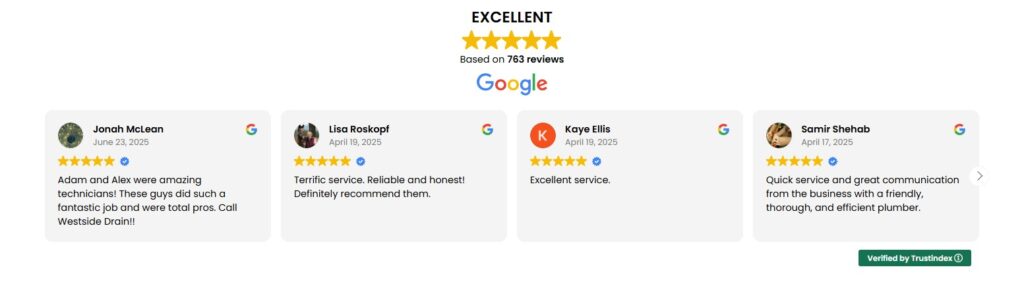
The technical elements like your contact forms, phone number display, reviews, and navigation menu should definitely be templated. You want consistency there.
What MUST Be Unique for Each Location
This is where you need to put in the work. Each city page needs genuine unique content, and I’m talking about real substance here.
You need to write about the specific neighborhoods you serve in that city. If you’re targeting Austin, Texas, mention neighborhoods like Westlake, Tarrytown, or Hyde Park. People searching in those areas will use those neighborhood names.
Include local landmarks naturally in your content. For Austin, you might mention how you serve homes near the University of Texas campus or in the Mueller development. This isn’t about keyword stuffing – it’s about showing you actually know the area.
Your meta title and description must be unique for each page. Don’t just swap the city name. Write something that actually describes serving that specific location.
And here’s the big one: you need 200-300 words minimum of genuinely different content for each city. This is where you can link to authoritative sources like Wikipedia for the city you’re targeting. It shows Google you’re providing context and real information, not just trying to game rankings.
I’ve seen businesses write a unique paragraph about the local climate and how it affects their service (like how Austin’s heat impacts roofing materials differently than Houston’s humidity), or about common issues they see in homes in that area. This is the kind of content that works.
Essential Elements Every City Page Needs
The Embedded Google Map
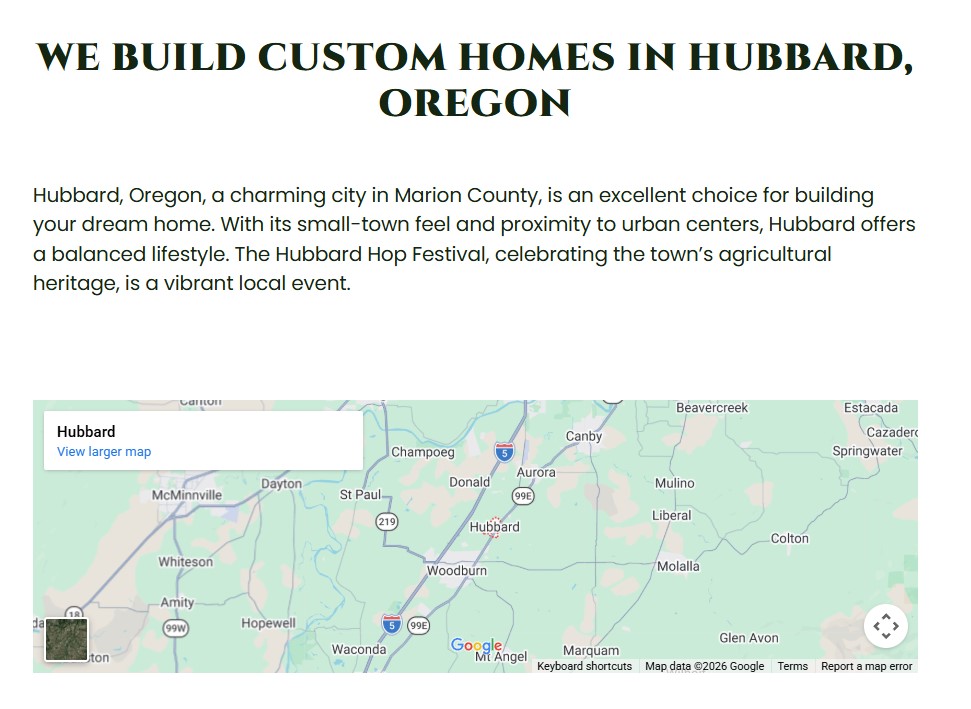
Every single city page needs an embedded Google Map centered on that specific city or county you’re targeting.
This is easy to do. Go to Google Maps, search for the city, click the share button, then click “Embed a map.” Copy that embed code and paste it into your page.
Center the map on the city itself, not on your office location. Remember, you’re a service area business. You travel to customers. The map should show the area you serve, not where you’re based.
Clear Service Area Information
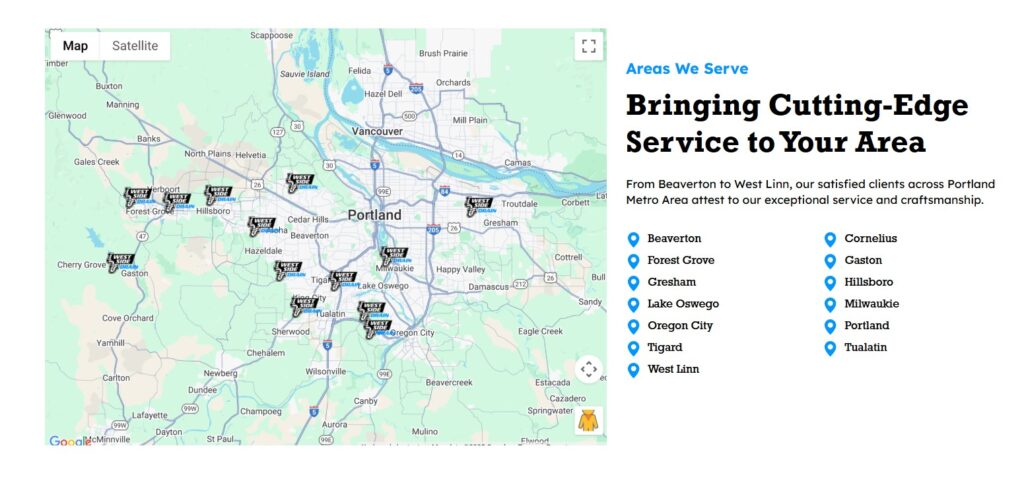
Be specific about the neighborhoods you cover in that city. Don’t just say “We serve Austin.” Say something like “We provide roofing services throughout Austin, including downtown, South Congress, East Austin, and North Loop neighborhoods.”
If you cover nearby areas too, mention them. “We also serve surrounding communities like Pflugerville and Lakeway.” This helps with nearby searches and gives people a clear picture of your range.
Be honest about your service radius and response times. If you’re based 45 minutes away, that’s fine, but let people know. I usually see contractors mention something like “We typically arrive within 2 hours for emergency calls in the Austin area.”
Service Area Links Section
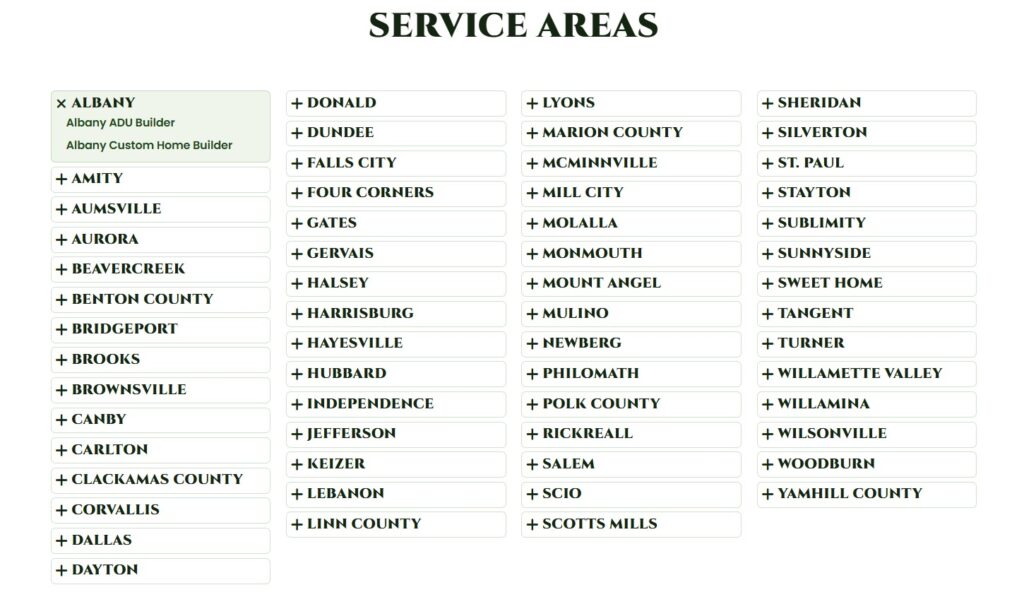
This is important for both users and SEO. Create a section on each city page that links to all your other location pages.
You can organize these alphabetically or by region. For example:
“Other Areas We Serve:
- Round Rock, TX
- Cedar Park, TX
- Georgetown, TX
- Pflugerville, TX”
Make those actual links to your other city pages. This internal linking helps Google understand the relationship between your pages and helps users navigate to the right location page if they clicked the wrong one.
Some businesses put this in the footer, others put it in a sidebar. Either works. Just make sure it’s there.
Content That Makes Each Page Different
City-Specific Introduction
Your opening paragraph should be unique to each city. Don’t start every page with “Welcome to [Company Name], your trusted roofing contractor.”
Instead, write something like: “We’ve been providing roof repairs and replacements throughout Plano, Texas for years, and we know the challenges that come with this area’s weather patterns. From the intense summer heat to the occasional hail storms, Plano roofs take a beating. Our team travels to Plano neighborhoods like West Plano, East Plano, and the Legacy area regularly to help homeowners protect their biggest investment.”
See the difference? You’re showing you actually know and serve the area.
Neighborhood and Landmark Mentions
This is where local knowledge matters. You need to mention actual neighborhoods and landmarks that people in that city would recognize.
For a city like Fort Worth, Texas, you might mention Sundance Square, the Cultural District, or neighborhoods like Ridglea or Tanglewood. Use these naturally when talking about your service area.
The key word is naturally. Don’t write “We serve Fort Worth, Sundance Square Fort Worth, Cultural District Fort Worth, Ridglea Fort Worth.” That’s keyword stuffing and it’s obvious. Instead, work it into real sentences: “Whether you’re in a historic home near Sundance Square or a newer build in the Ridglea area, we have experience with all types of roofing systems common in Fort Worth.”
Local Proof and Examples
This is where you build trust. If you have customer reviews from people in that specific city, feature them on that city page. Even one or two real reviews from locals is better than generic testimonials.
Photos from jobs in that area are gold. If you did a roof replacement in that neighborhood, show before and after photos. You don’t need to include the exact address for privacy reasons, just “Recent roof replacement in East Austin” is enough.
If you’ve done a lot of work in a particular city, mention it. “We’ve completed over 150 roofing projects in the Frisco area” sounds way better than generic claims about being the best.
Some businesses keep track of how many jobs they’ve done in each city. If you have that data, use it. People want to hire contractors who have actual experience in their area.
Technical Setup You Can’t Skip
Meta Titles and Descriptions
Your meta title is what shows up in Google search results. The format that works best is:
“Service + City, State | Your Business Name”
For example: “Roofing Services in McKinney, TX | ABC Roofing”
Keep it under 60 characters so it doesn’t get cut off in search results.
Your meta description should be unique for each city and actually describe what makes your service valuable in that area. Don’t write the same description and just swap city names.
Bad: “We provide excellent roofing services in McKinney with quality workmanship.”
Better: “Professional roofing contractor serving McKinney and Collin County. Fast response times, 20+ years experience with North Texas weather challenges. Free estimates.”
The description should be around 150-160 characters and include the city name naturally. This is what people see in search results before they click, so make it count.
Internal Linking Strategy
Your city pages can’t just float out there disconnected from the rest of your site. You need a solid internal linking structure.
Link from your main service page to all your city pages. If you have a page about “Roof Replacement,” it should link out to all your city-specific roof replacement pages.
Link from your homepage to your main location pages, especially the cities where you do the most business.
On each city page, link to other nearby city pages in your service area section. This helps Google understand your overall service area and helps users who might have clicked the wrong city.
And don’t forget to link back to your main service pages. If someone lands on your Austin page but wants to learn more about a specific service, they should be able to easily navigate to that service page.
How to Know If Your City Pages Are Actually Working
Creating the pages is only half the battle. You need to know if they’re actually helping you rank.
Check If They’re Indexed in Google
This is the first thing to check. If Google hasn’t indexed your page, it won’t rank. Period.
Go to Google and search: site:yoursite.com/austin-tx
(Replace with your actual URL)
If your page shows up in the results, it’s indexed. If it doesn’t show up, Google either hasn’t found it yet or has decided not to index it.
If a page isn’t getting indexed after a few weeks, you probably don’t have enough unique content. Go back and add more city-specific information. Or you might have technical issues like noindex tags that are blocking Google.
You can also check indexing status in Google Search Console under the “Pages” report. This tool will tell you which pages are indexed and which aren’t, and sometimes it’ll tell you why pages aren’t indexed.
Track Your Rankings
Once you know your pages are indexed, you need to see if they’re actually ranking.
The simple way is to open an incognito browser window (so your past searches don’t influence results) and search for “your service + city name.” For example, “roofing contractor McKinney TX.”
Are you on page one? That’s the goal. If you’re on page two or three, you’re getting some credit but not enough to drive real traffic.
Google Search Console is the better tool for this. It shows you which search queries your pages are showing up for, what position you’re ranking in, and how many clicks you’re getting. Check this once a month, not every day. Rankings fluctuate, and checking too often will drive you crazy.
The queries people are actually using might surprise you. You might be ranking for neighborhood names or landmarks you mentioned, not just the city name.
Common Mistakes That Waste Your Time
I see the same mistakes over and over, so let me save you some trouble.
Creating 50 city pages with identical content is the biggest mistake. Google will either not index most of them or will rank them poorly. I’ve seen businesses with 30 city pages where only three are actually indexed. That’s a waste of effort.
Targeting cities you’ll never actually service is another one. If you’re based in Dallas and you create a page for Houston but you’re never going to drive three hours for a job, don’t bother. It’s fake, customers will figure it out, and it hurts your credibility.
Not having unique content is the mistake that kills most city page strategies. If you just swap out city names and call it done, you’re wasting your time. Google’s smarter than that.
Forgetting to add the embedded Google Map is surprisingly common. People spend hours on content and then forget this simple visual element that helps both users and Google understand what location you’re targeting.
Not including the service area links section means you’re missing out on internal linking benefits and making it harder for users to find the right page.
And the mistake I see all the time: not checking if pages are actually indexed. People create pages, assume they’re working, and never verify. Three months later they wonder why they’re not getting calls from those cities.
Being unclear about your service radius confuses potential customers. If you travel to a city, say how far you’re coming from and what your typical response time is. Honesty builds trust.
Starting Small and Scaling Up
Here’s my advice: don’t try to build 20 city pages at once.
Start with your top three to five cities. These should be places where you’re already getting calls and doing regular work. Build really solid pages for these locations with good unique content, proper maps, local examples, and all the elements we’ve talked about.
Then wait. Give it at least a month, preferably two or three, to see if these pages get indexed and start ranking. Check Google Search Console. See what’s working and what’s not.
Once you’ve got those first few pages ranking, then slowly add more cities within your actual service area. Maybe add one new city page per month. This gives you time to do it right and monitor results.
Quality beats quantity every single time. I’d rather have five excellent city pages that all rank on page one than 30 mediocre pages that Google ignores.
People in SEO forums and Facebook groups often ask how many city pages they should have. The answer is: as many cities as you genuinely serve with enough unique content for each one. If you can’t write 200-300 unique words about serving a city, you probably shouldn’t have a page for it.
What to Do If Your Pages Aren’t Ranking
So you built your city pages following all this advice, waited a few months, and they’re still not ranking. Here’s what to check.
First, confirm they’re actually indexed using the site: search we talked about earlier. If they’re not indexed, that’s your problem right there. Add more unique content, make sure there are no technical issues blocking Google, and submit the URLs in Google Search Console.
If they are indexed but not ranking well, check your unique content. Do you really have 200-300 words that are genuinely different from your other city pages? Or did you just rearrange the same sentences? Be honest with yourself.
Look at what’s currently ranking on page one for “your service + city name.” What are those pages doing that you’re not? Often you’ll find they have more local-specific content, more reviews, or they’ve been around longer.
Add more local-specific details to your page. Write about local regulations if they’re relevant to your service. Mention more neighborhoods. Add information about common issues you see in homes in that area.
Reviews from customers in that specific city help a lot. If you’ve done work there, ask those customers for reviews and feature them on that city page.
And be patient. SEO takes time, especially for new pages. Three to six months is normal before you see real movement in rankings. Some competitive markets take even longer.
If you’re doing everything right and still not seeing results after six months, you might be in a very competitive market where the top-ranking businesses have been established for years. In that case, you might need to focus on other marketing channels alongside SEO.
Real Example Breakdown
Let me walk you through what a good city page actually looks like in practice.
The URL would be something like: yoursite.com/roofing/richardson-tx
The H1 tag at the top says: “Professional Roofing Services in Richardson, TX”
The opening paragraph is unique: “Our roofing team has been serving Richardson, Texas homeowners for years, and we understand the unique challenges that come with this area’s weather. From the scorching summer heat that can damage shingles to the occasional severe storms that roll through North Texas, Richardson homes need durable, well-maintained roofs. We regularly work in neighborhoods throughout Richardson, including Canyon Creek, Northrich, and the Cottonwood Creek area.”
Below that is an embedded Google Map centered on Richardson.
Then there’s a section about services with the standard descriptions (this can be templated), but with Richardson mentioned naturally a few times.
Next comes a section titled “Why Richardson Homeowners Choose Us” with a few customer reviews from Richardson residents and before/after photos from jobs in the area.
There’s a service area section that says: “We also serve nearby communities including Plano, Garland, and North Dallas” with those as clickable links to other city pages.
The meta title is: “Roofing Contractor Richardson, TX | ABC Roofing Company”
The meta description is: “Trusted roofing services in Richardson and North Dallas. 20+ years experience, fast response times, free estimates. Serving Canyon Creek, Northrich, and all Richardson neighborhoods.”
This page has real substance. It’s not just a copy-paste job with the city name swapped. It shows local knowledge, provides value to people searching for roofers in Richardson, and gives Google plenty of signals that this business genuinely serves this area.
FAQ
How many city pages should I create?
Create pages for cities you actually serve regularly. For most service businesses, that’s somewhere between 5 and 20 cities. Don’t create 50 pages just to cover more ground. Focus on quality over quantity. If you can’t write 200-300 unique words about serving a city, you probably shouldn’t have a page for it.
Do I need a physical office in each city I target?
No. Service area businesses don’t need physical locations in every city they serve. You travel to customers, so you just need to show that you genuinely provide service in those areas. Include your service radius, response times, and examples of work you’ve done there. Google understands service area businesses operate differently than retail locations.
Can I target both a city and its county?
Yes, and sometimes you should. If you serve a major city like Dallas, create a specific Dallas page. But you might also want a “Dallas County” page that covers the smaller suburbs and unincorporated areas. People search both ways. Just make sure each page has unique content and serves a different search intent.
How much unique content is enough?
Aim for at least 200-300 words of genuinely unique, location-specific content on each city page. This doesn’t include your templated service descriptions. It needs to be content specifically about serving that city, mentioning neighborhoods, local considerations, or examples from that area. More is fine if it’s valuable, but don’t add fluff just to hit a word count.
Should I use the city name in my H1 tag?
Yes. Your H1 should clearly state what the page is about. Something like “Plumbing Services in Frisco, TX” or “Frisco, Texas Plumber” works well. This helps both users and Google immediately understand what location this page targets. Just keep it natural and don’t stuff multiple variations of the city name.
What if I serve a whole state?
If you serve an entire state, you still shouldn’t create pages for every single city. Focus on the major cities and metros where you do the most business. You might have 10-15 city pages for the major markets and then maybe one or two regional pages like “North Texas” or “DFW Metroplex” that cover broader areas. Trying to create pages for every small town will spread your efforts too thin.
How long before I see results from new city pages?
Expect to wait three to six months before seeing significant results. Google needs time to crawl and index your pages, then evaluate them against competitors. You might see the pages get indexed within a few weeks, but actual rankings and traffic usually take longer. Some competitive markets take even longer. This is why starting with a few high-quality pages and expanding slowly makes more sense than rushing to create 30 pages at once.
Should I mention my travel distance or service radius?
Yes, be upfront about it. If you’re based in one city but serve surrounding areas, mention your typical service radius or response time. Something like “We’re based in Austin but regularly serve the entire metro area, typically arriving within 90 minutes for service calls.” This manages customer expectations and shows you’re honest about your service area. It’s better than having someone call you only to find out you won’t actually drive to their location.